
Simracelab Control & Vision

Your rig. One control center.

Control your Simracelab hardware, personalize your overlays and keep everything in view while racing – with one application.

OPEN ALPHA
Control and Vision are currently in open alpha.

The software is under active development and may still change. Control and all Vision overlays currently work exclusively with iRacing.

WINDOWSiRACINGSTREAM READYALPHA CHANNEL
Echte Startseite von Simracelab Control
Real interface from Control
Control Center

Everything connected. Everything under control.

Control combines hardware, telemetry, overlays and your personal settings in an interface built for the rig.

⌁

Automatic detection

Simracelab devices are detected and presented clearly in Control.

⌘

Global hotkeys

Control Vision and important functions directly from your keyboard, wheel or Stream Deck.

↻

Integrated updates

Control and supported devices stay current through a clear update process.

◉

Live telemetry

Relevant iRacing data is processed directly and passed to Vision and your hardware.

◇

Profiles

Your widget positions, colors, sizes and device settings remain saved.

⚙

One interface

Fewer separate programs, fewer detours and one central control center for your rig.
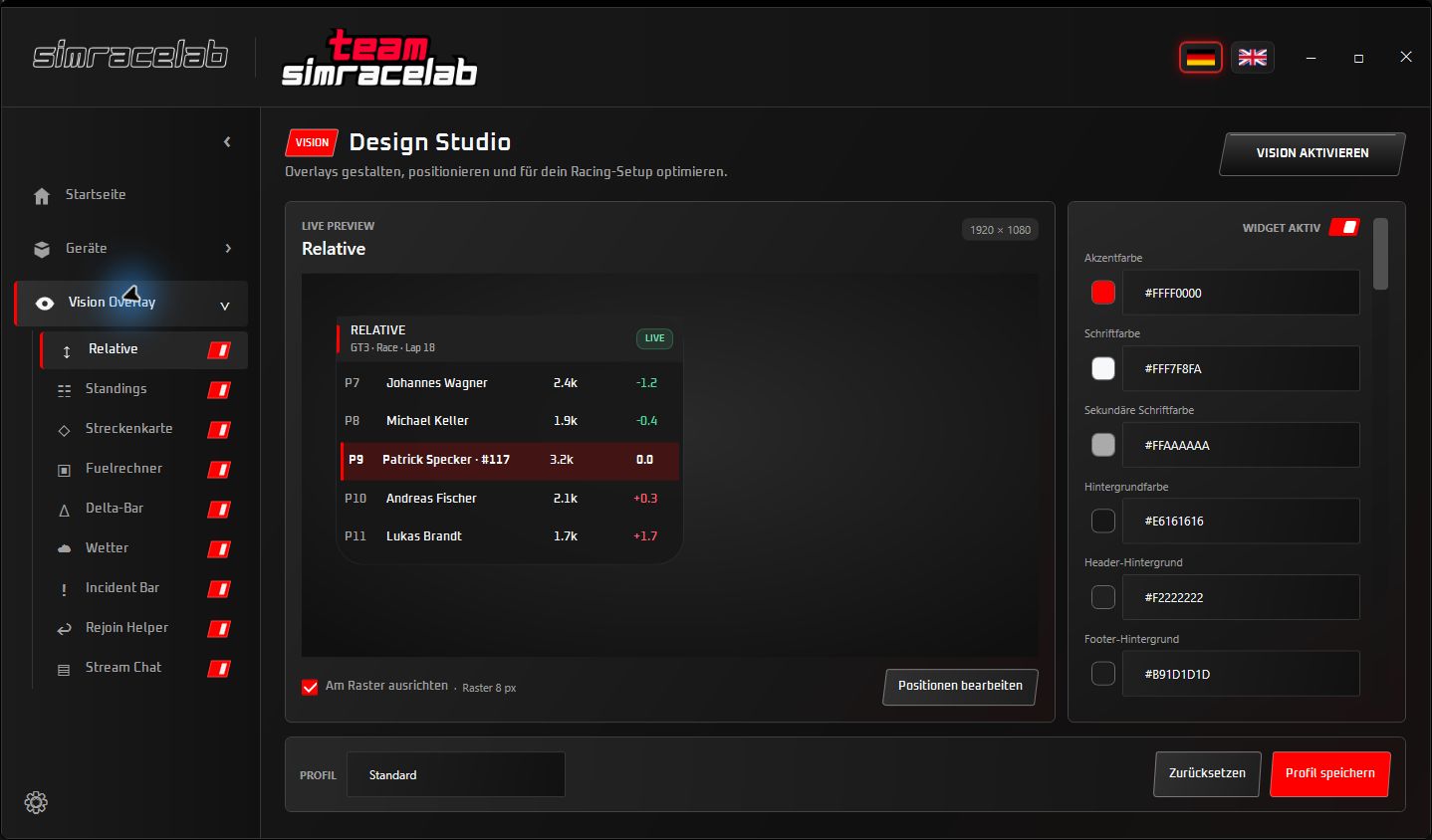
Echtes Vision Design Studio in Simracelab Control
Real Vision Design Studio
Simracelab Vision

Your overlay. Your layout.

Build exactly the view you need for racing or streaming. Freely positionable, scalable and visually adaptable to your setup.

Standings, Relative, Track Map & Delta
Fuel Calculator, Weather & Incident Bar
Freely configurable columns, logos and transparency
Automatic multiclass detection
Shape, corner radius and colors per widget
VISION WIDGETS

All the important data. As individual widgets.

Build only the modules you actually need. Every widget works independently and remains directly configurable in the Design Studio.

01

Standings

Position, classes, gaps, logos and freely sortable columns.

02

Relative

Drivers ahead and behind – also following the viewed car.

03

Track Map

Smooth car movement and a fast overview of the circuit.

04

Fuel Calculator

Consumption, remaining range and calculated laps in a compact view.

05

Delta Bar

Your current lap performance visible immediately.

06

Weather

Track conditions, sky and temperatures in flexible layouts.

07

Incident Bar

A space-saving incident count that is always visible.

08

Rejoin Helper

Support for a safer return to the circuit.

09

Stream Chat

Fully customizable Twitch and YouTube chat for your stream.

Freely positioned & scaledFreely arranged columnsAutomatic multiclass detectionColors, transparency & shapesGlobal Vision hotkeys
Hardware Control

More than data on a screen.

Control connects the virtual track to your rig – from dynamic airflow to hydration during the race.

WINDSIMULATOR

Speed you can feel.

Control intensity and behavior centrally in Control and adapt the airflow to your setup.

HYDRO

Drink without leaving the race.

Operate the pump, power and flushing directly at the rig – easy to reach and integrated into Control.

For your stream

Twitch and YouTube directly in your overlay.

Display your community chat on stream, fully customize its appearance and size, and check everything live in the preview.

Twitch and YouTube live chat
Channel-based YouTube live-stream search
Demo messages for the preview
Stream Deck icons and global hotkeys
STREAM CHAT LIVE PREVIEW
T
TurboTom

The new Relative looks amazing 🔥

R
RaceGirl91

Good luck for the next stint!

S
SimFan

Can you show the Track Map a little larger?

Ready for your rig?

Start now with Simracelab Control.

One application for your Simracelab hardware, Vision overlays and the most important functions around your race.